 BobWork Vault
The free password manager for your team
BobWork Vault keeps every login your team shares in one place and fills it for you — with 2FA codes, safe sharing and a password generator. Everything is encrypted in your browser before it leaves it; our servers only ever see ciphertext.
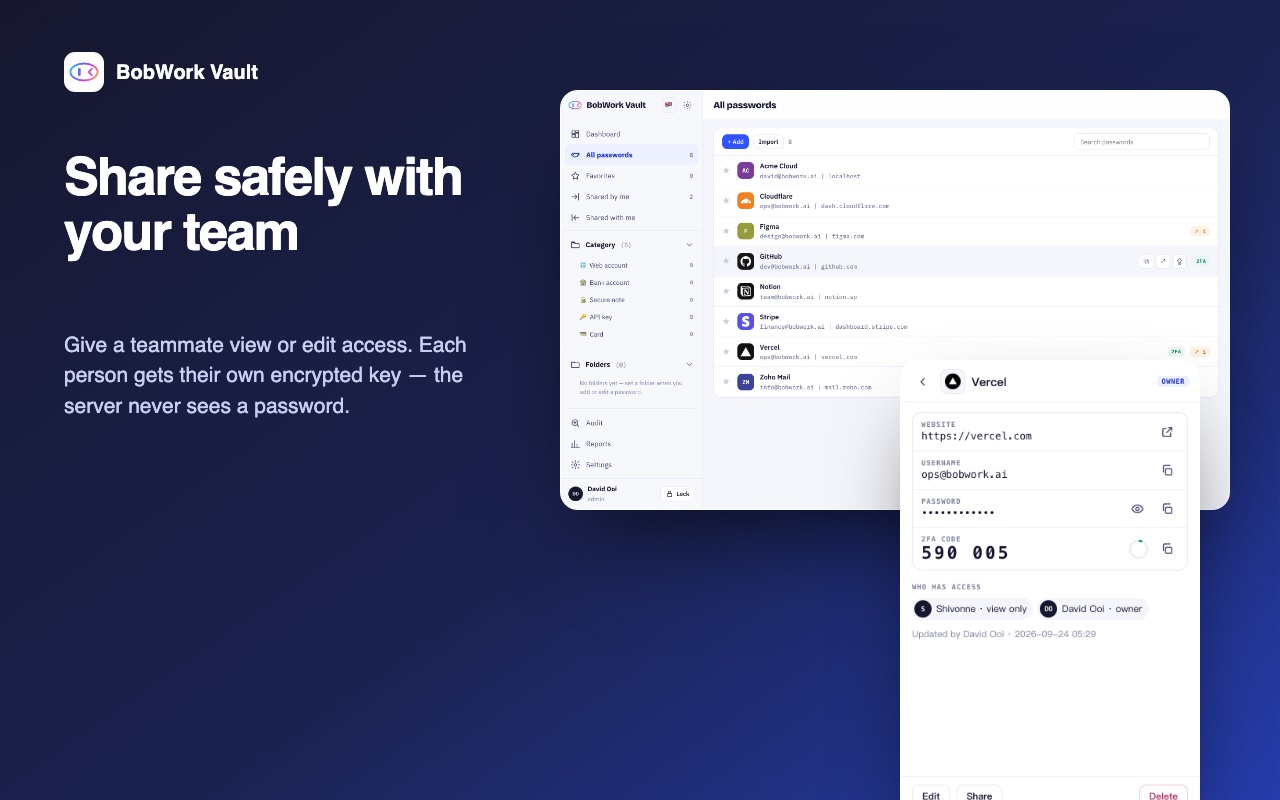
Everything a team needs to stop pasting passwords in chat
A Chrome extension for everyday logins, and a web vault for managing, sharing and auditing them.
Zero-knowledge encryption
Passwords are encrypted with your master password before anything is sent. The server stores ciphertext only.
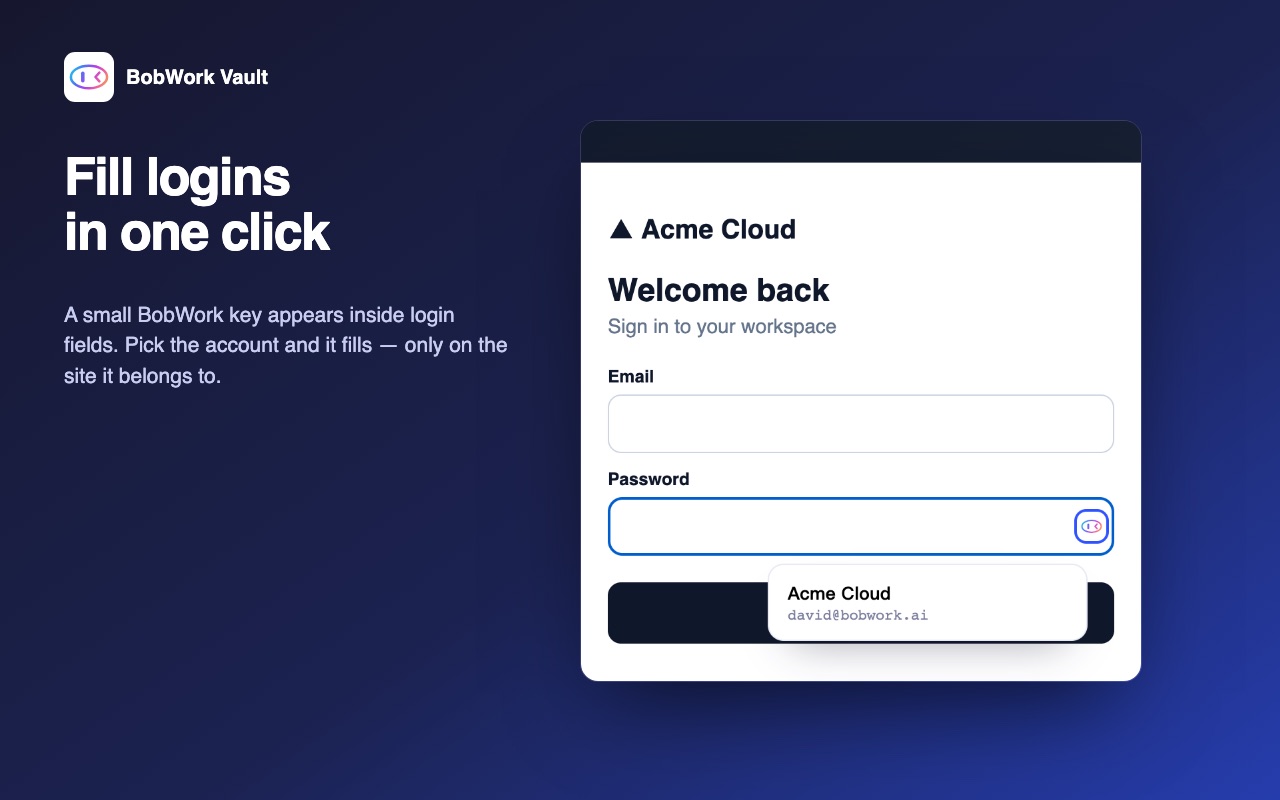
One-click autofill
A small BobWork key appears in login fields. Pick the account and it fills — only on the site it belongs to.
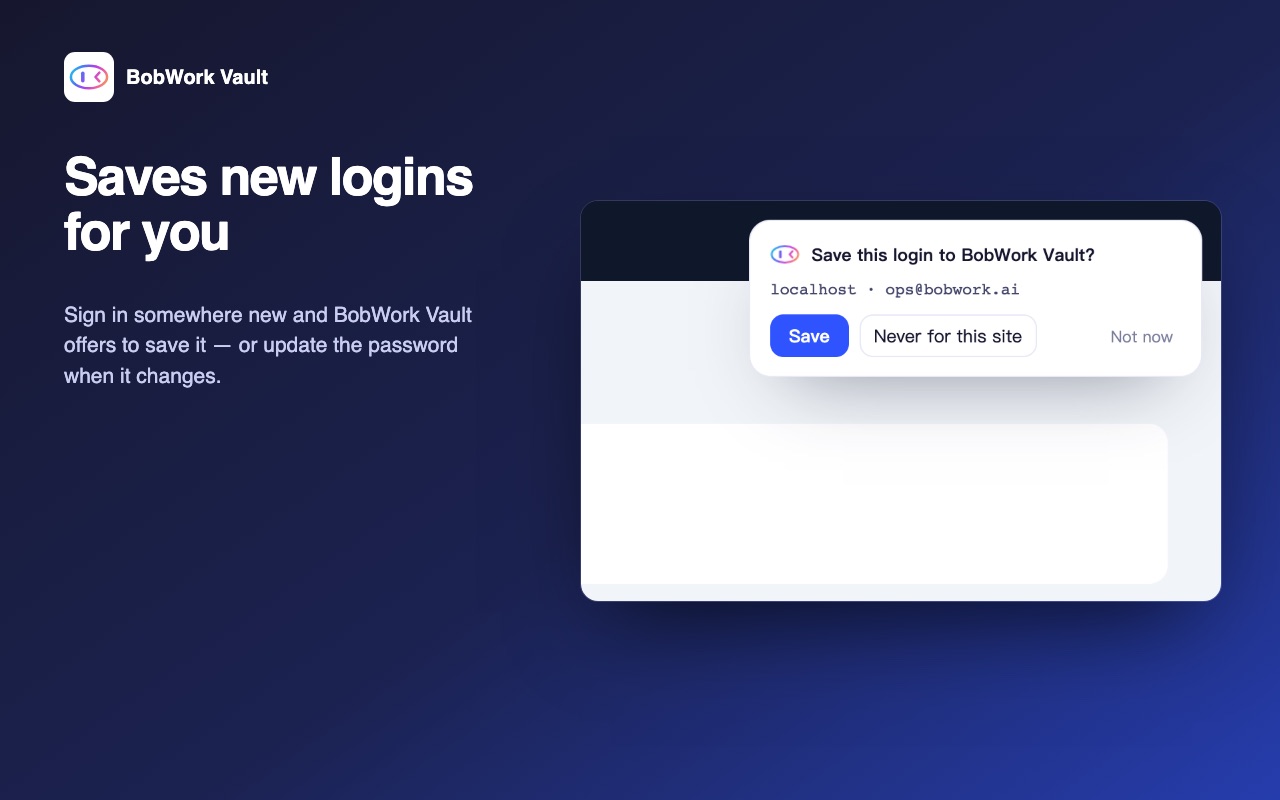
Saves new logins
Sign in somewhere new and the vault offers to save it — or to update it when the password changes.
2FA codes built in
Store authenticator secrets and copy the current 6-digit code without reaching for your phone.
Invite your team
Invite teammates to your organisation, then give each one view-only or edit access. Each person gets their own encrypted copy of the key.
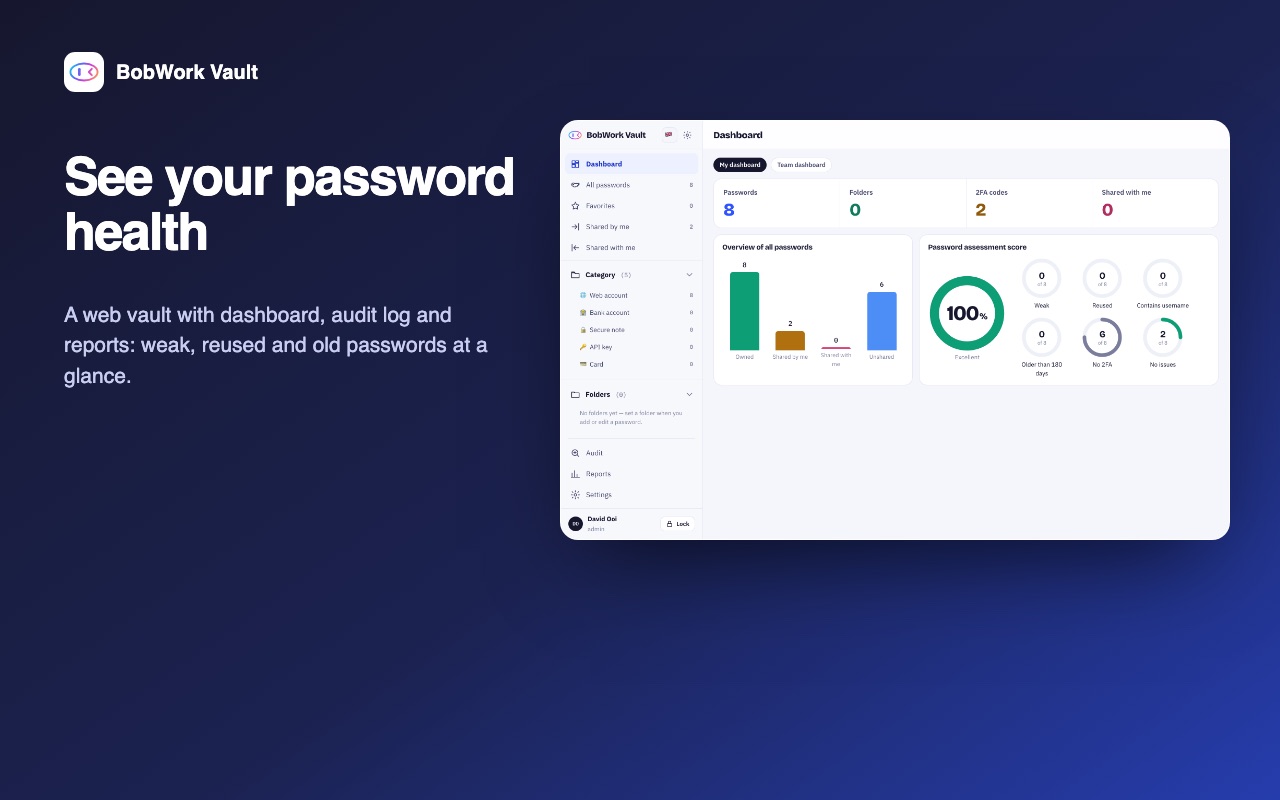
Password health + audit log
See weak, reused and old passwords at a glance, and who opened, copied or shared what.
Fill logins in one click
The extension spots login forms and offers the right account for that site — never another site's password. Folders, favourites and a password generator are there when you need them.
Saves new logins, shares them safely
Sign in somewhere new and the vault offers to save it. Then grant a teammate view or edit access per login — access is shown on every item, and removing someone takes one click.
See your password health
A dashboard for you and for the team: weak, reused, old and 2FA-less logins, plus an audit log of every reveal, copy, fill and share.
Built so that we can’t read your passwords
The server is a sync service for encrypted blobs. Decryption only ever happens on your device.
Up and running in three steps
- Create a free accountSign up with your name, email and organisation name, pick a master password of 10+ characters and confirm the 6-digit code we email you. Got an invite code from a teammate? Enter it instead to join their organisation.
- Invite your teamAs the organisation admin, go to Settings → Invite teammates. Each teammate gets an email with a code and a setup guide, and only your organisation can see each other.
- Add the extensionAdd BobWork Vault to Chrome from the Chrome Web Store — one click, updates itself. Sign in with the same email and master password.
Questions
Is there a BobWork Vault Chrome extension?
Yes. The official BobWork Vault extension is free on the Chrome Web Store and works in Chrome, Edge, Brave and Arc. How to install it.
Can BobWork see my passwords?
No. Every password is encrypted in your browser with a key derived from your master password before it is sent. The server stores ciphertext only.
What happens if I forget my master password?
Nobody can recover it — including BobWork — unless your organisation turned on admin-assisted account recovery and you enrolled. Keep it somewhere safe.
How do I sign up?
Anyone can create a free account. Your account starts a new organisation and you are its admin — invite your team from Settings. Received an invite code? Enter it when you create your account to join your team’s organisation instead.
Who can see my organisation?
Only its members. Organisations are fully separate: you can only share with, invite or audit people in your own organisation, and every password stays private to you until you share it.
Which browsers does the extension support?
Chrome and other Chromium browsers. The web vault works in any modern browser.
Does it store 2FA codes?
Yes. Save an authenticator secret with a login and copy the current 6-digit code from the extension or the web vault.
Start your team’s vault
Free to create. Already have an account? Sign in.